
Text Compare
Paste two versions of a text to see what changed. Unlike most free diff tools it compares by word and by character, not only by line: change one word in a paragraph and you see that word, not the whole line lit up.
Runs in your browser. Nothing uploaded.
How to use it
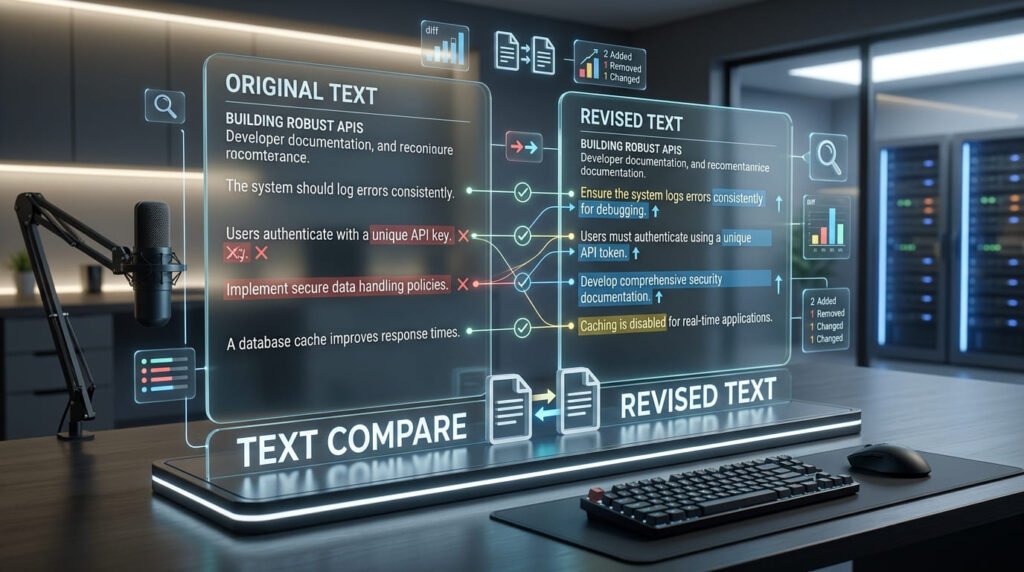
- Paste both versions. Original on the left, changed on the right.
- Pick a granularity. Word is the default. Switch to line for code, or character for identifiers.
- Read the highlighted output. Added text is underlined, removed text is struck through.
Everything updates as you type. Nothing is uploaded.
Line, word and character diff
Most free diff tools compare by line only. For code that is right, a line is the unit of change. For prose it is close to useless: change one word in a paragraph and the entire paragraph lights up as changed, which tells you nothing you did not already know.
Take these two sentences:
A:  the cat sat on the mat
B: the cat sat on the rug| Mode | Result | Similarity | Useful for |
|---|---|---|---|
| Line | The whole line replaced | 0% | Code, config files, logs |
| Word | mat → rug, everything else unchanged |
90.9% | Prose, documentation, contracts |
| Character | Three characters replaced | 86.4% | IDs, hashes, keys, single-digit errors |
Same two sentences, three defensible answers. Line mode says they share nothing, and it is not wrong: no line is common to both. It is just answering a question you probably did not mean to ask.
What the similarity number means
It is the Dice coefficient: twice the shared tokens, divided by the total tokens across both texts.
similarity = 2 × shared ÷ (length of A + length of B)
Two properties make it the right choice here. It is symmetric, so swapping the inputs gives the same number. And a short text that is a prefix of a much longer one does not score 100% abcd against abcdefgh is 66.7%, not 100%, which is what you want when checking whether something was truncated.
The number changes with the mode, because it is counting whatever the mode counts. A pair of texts can be 0% similar by line and 90% similar by word, and both figures are honest.
How the comparison works
The tool uses Myers diff, the algorithm git uses. It finds the shortest edit script, the smallest possible set of insertions and deletions that turns one text into the other.
That guarantee matters more than it sounds. A naive line-by-line comparison will happily report a whole file as changed when a single line was inserted at the top, because everything after it has shifted. Myers finds the alignment that minimises the changes, so an inserted line reads as one insertion.
The implementation was checked against a brute-force longest-common-subsequence calculation across 6,000 randomly generated pairs, confirming both that the output reconstructs both inputs exactly and that the number of matched tokens is genuinely the maximum possible. An earlier version passed the reconstruction check and failed the optimality one, it was reporting completely unrelated texts as identical.
Two texts look identical but do not match
This is the most common support question for any diff tool, and the answer is almost always an invisible character.
| Culprit | Where it comes from |
|---|---|
| Non-breaking space (U+00A0) | Copying from a web page or Word |
| Zero-width space (U+200B) | Content management systems, some editors |
| Curly quotes (‘ ‘) | Word processors autocorrecting straight quotes |
| CRLF vs LF line endings | Moving files between Windows and macOS or Linux |
| Trailing whitespace | Almost everything |
Switch to character mode to see exactly where the mismatch is, or use the invisible character detector, which names each character and its code point. The “ignore whitespace” and “trim line ends” options here will paper over some of these, which is useful when you want the comparison and not the diagnosis.
Worked example
Two drafts of the same sentence:
A:  We will deliver the report by Friday.
B:  We will deliver the final report by Thursday.
In word mode:
- Added:
final,Thursday - Removed:
Friday - Unchanged: everything else
- Similarity: 85.7%
In line mode the same pair reads as one line removed and one line added, similarity 0% technically true, practically useless. This is the case the tool exists for.
Comparing strings in code
A large share of searches for “string comparison” are really about programming languages rather than a web tool, so here is the short version.
| Language | Equality | The trap |
|---|---|---|
| Python | a == b |
is compares identity, not content. It sometimes appears to work because of string interning |
| JavaScript | a === b |
== does type coercion; === is what you want |
| Java | a.equals(b) |
== compares references. The classic bug |
| C# | a == b or string.Equals |
Use StringComparison.Ordinal unless you specifically want culture rules |
| C | strcmp(a, b) == 0 |
Returns an ordering, not a boolean. Zero means equal |
Two of those return an ordering rather than a yes-or-no: strcmp in C and compareTo in Java both give a negative number, zero, or a positive number. Treating the result as a boolean is a bug that passes every test where the strings happen to be equal.
None of these tells you what differs, which is the thing this page does.
Size and speed
Nothing is uploaded, so the only limit is your browser’s memory. Two 20,000-line files with a couple of hundred changes compare in about a tenth of a second, because Myers is fast precisely when the inputs are similar.
The slow case is two large texts with almost nothing in common. Past a certain point the tool stops and tells you rather than freezing the tab, showing one text replaced wholesale by the other, which is, after all, the honest answer when two things share nothing.
Related tools
For structured data, comparing the parsed form beats comparing the text: XML compare ignores attribute order and formatting, and JSON compare ignores key order while respecting array order. To find which items are present in two lists rather than what changed inside them, list compare gives you all four set operations at once. And when two strings look the same but will not match, the invisible character detector is usually the fastest way to find out why.
Frequently asked questions
What is the difference between line, word and character diff?
Line mode marks a whole line changed if anything in it changed, which is right for code and useless for prose. Word mode marks only the words that changed, which is what you want for editing a paragraph. Character mode goes finer still and is useful for spotting a single wrong digit in an identifier.
How is the similarity percentage calculated?
It is the Dice coefficient: twice the number of shared tokens divided by the total tokens in both texts. That is symmetric, so swapping the inputs gives the same answer, and a short text that is a prefix of a long one does not score 100%. The number changes with the mode, because it is counting lines, words or characters accordingly.
Two texts look identical but the tool says they differ. Why?
Almost always an invisible character: a zero-width space, a non-breaking space, or a curly quote where you expected a straight one. Copying from a web page or a word processor introduces these routinely. Switch to character mode to see exactly where, or run the text through the invisible character detector.
What algorithm does it use?
Myers diff, the same algorithm git uses. It finds the shortest edit script, which means the smallest possible set of changes rather than a plausible-looking one. The output was checked against a brute-force longest-common-subsequence calculation across thousands of random inputs to confirm it is genuinely optimal.
How do I compare two strings in code?
For equality, == in Python and === in JavaScript compare content directly. Java is the classic trap: == compares references, so you need .equals(), and compareTo() returns an ordering rather than a boolean. None of those tell you what changed, which is what this page is for.
Is there a size limit?
Nothing is uploaded, so the limit is your browser memory. Two 20,000-line files with a couple of hundred changes compare in about a tenth of a second. Two enormous files with nothing in common are the slow case, and the tool stops and says so rather than freezing the tab.
Guides that use this tool
Last updated: August 16, 2026