
SQL Formatter & Syntax Checker
Paste a query to check it for errors and format it, in MySQL, PostgreSQL, SQL Server, Oracle or SQLite. It finds trailing commas, clause order mistakes, joins with no ON condition, unclosed CASE blocks and unbalanced brackets, and it names the line and column of every one rather than only the first. The dialect changes how the query is read, not just how it is printed. It never runs your SQL and never uploads it, which matters because a query usually carries your schema with it.
Changes how the query is read, not just how it is printed.
This never runs your query. It reads the text, works out where each token ends, and prints it back. There is no database on this page.
Runs in your browser. Nothing uploaded.
How to use it
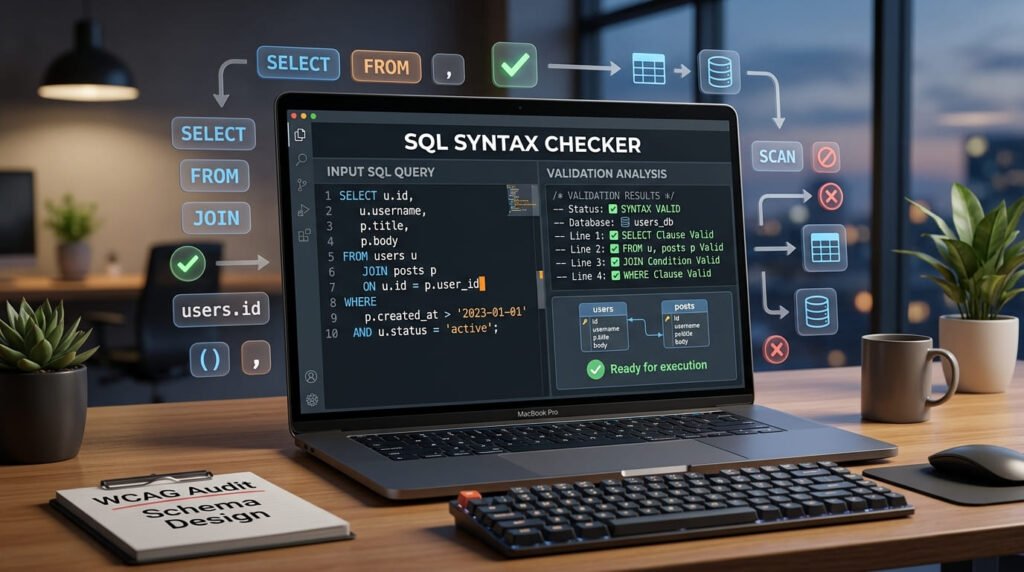
- Paste your query. It stays in your browser, there’s no request to anywhere.
- Pick your dialect. This changes how the query is read, not just how it’s printed.
- Read the verdict, then copy the formatted SQL.
Tick “Minify instead” to go the other way and collapse everything onto one line.
Your query never leaves this page
This is the part worth being explicit about, because most online SQL formatters work the other way round.
A SQL query is not neutral text. It names your tables and your columns. It often contains real values, an email address in a WHERE clause, an internal ID, occasionally a literal password in a seed script. Paste that into a formatter that POSTs to a backend and you’ve disclosed a slice of your schema to a third party, along with whatever was in the literals.
Everything here runs in JavaScript in your browser. There is no upload, no API call, and no server-side component to have a retention policy. Disconnect from the internet after the page loads and it keeps working.
It never runs your SQL
There is no database on this page and no connection to one. The tool reads your query as text, works out where each token ends, and prints it back with different spacing.
That’s a real limitation, not just a safety claim. Because nothing executes, the tool cannot tell you whether a table exists, whether a column name is spelled right, or whether a join will return what you expect. It can only tell you about the text.
What the checker actually checks
Structural problems it can prove from the text alone:
| Check | Example that fails | Reported as |
|---|---|---|
| Unterminated string | WHERE name = 'O'Brien' |
Line and column of the opening quote |
| Unterminated identifier | SELECT `col FROM t |
Line and column of the opening backtick |
| Unterminated block comment | /* note |
Line and column of the opening /* |
| Unbalanced parentheses | SELECT * FROM (SELECT 1 |
Which bracket was never closed |
| Statement count | – | How many statements it found |
A query that passes is not guaranteed to run. This is not a full SQL grammar, and it never will be that would mean writing a parser for five dialects and having your schema to check against. It catches the four mistakes that account for most “why won’t this parse” moments, and it tells you exactly where they are.
The O’Brien example is the one that catches everyone. The apostrophe closes the string, and everything after it is read as SQL. The fix is to double it: 'O''Brien'.
Why the dialect setting matters
Most formatters have a dialect dropdown that changes nothing. Here it changes how your query is read, because dialects genuinely disagree about where a token ends.
| Dialect | Quotes identifiers with | Also |
|---|---|---|
| MySQL / MariaDB | `backticks` |
# starts a comment. Backslash escapes inside strings. |
| PostgreSQL | "double quotes" |
$$dollar quoting$$ for function bodies. No backslash escapes. |
| SQL Server | [square brackets] |
N'text' for unicode literals. |
| Oracle | "double quotes" |
Identifiers are case-sensitive once quoted. |
| SQLite | Accepts all three | The most permissive of the five, deliberately. |
Pick the wrong one and a valid query can look broken. Paste MySQL backticks with PostgreSQL selected and the backtick isn’t an identifier quote at all, so the tokeniser reads the rest of the line as something else entirely.
Dialect differences the formatter won’t fix
Formatting is cosmetic. These differences are semantic, and no formatter can translate between them:
| Job | MySQL / Postgres | SQL Server | Oracle |
|---|---|---|---|
| Limit rows | LIMIT 10 |
TOP 10 |
FETCH FIRST 10 ROWS ONLY |
| Concatenate | || or CONCAT() |
+ |
|| |
| Current time | NOW() |
GETDATE() |
SYSDATE |
| Null fallback | COALESCE() |
ISNULL() |
NVL() |
| No-table select | SELECT 1 |
SELECT 1 |
SELECT 1 FROM DUAL |
If you’re porting a query between engines, these are the lines to look at first.
PostgreSQL syntax checker
Set the dialect to PostgreSQL and the checker reads your query the way Postgres does.
Identifiers are quoted with "double quotes". Leave one unclosed and the error names that character specifically, no closing “ with the line and column, rather than a generic parse failure.
The one that catches people is dollar quoting. A function body written as $$ ... $$ can contain semicolons that are not statement separators. Paste SELECT $$a;b$$ with PostgreSQL selected and you get one statement, which is correct. Select MySQL instead and the same text reads as two, because MySQL has no dollar quoting and that semicolon becomes a boundary.
Paste MySQL backticks with PostgreSQL selected and you get a warning saying so, and naming " as the replacement, Postgres does not accept backticks as identifier quotes at all.
MySQL and MariaDB syntax checker
MySQL quotes identifiers with `backticks`, and the checker treats them as such. An unclosed one reports no closing `.
Two things differ from the ANSI dialects. # starts a comment to end of line, which nothing else here supports. And a backslash escapes inside string literals, so 'a'b' is one string rather than the start of a second one.
Square brackets get flagged. They are SQL Server and SQLite syntax; MySQL reads [ as an ordinary character, so a query pasted from SQL Server tokenises into something quite different from what you meant.
T-SQL and SQL Server syntax checker
SQL Server quotes identifiers with [square brackets]. Select this dialect and an unterminated one reports no closing ].
Brackets are the reason a T-SQL query pasted under the wrong dialect looks broken. Under MySQL you get a warning rather than silence, which is the point, the query is fine, the setting is wrong.
The differences the checker cannot fix are the semantic ones in the table above: TOP 10 where other engines write LIMIT 10, + for string concatenation where Postgres and Oracle use ||, and GETDATE() in place of NOW(). Formatting is cosmetic; those are rewrites.
Oracle syntax checker
Oracle uses "double quotes", and quoting an identifier makes it case-sensitive "Users" and "users" are different tables, which is not true of the unquoted form.
Oracle is the strictest of the five here. It is the only dialect where both square brackets and backticks produce a warning, because it accepts neither. Queries arriving from SQL Server or MySQL usually trip at least one.
For row limiting, older Oracle code uses ROWNUM in a WHERE clause; 12c and later support FETCH FIRST n ROWS ONLY. Neither is LIMIT, and no formatter converts between them.
SQLite syntax checker
SQLite is deliberately the most permissive of the five. It accepts double quotes, square brackets and backticks as identifier quotes, so the checker accepts all three without complaint when this dialect is selected.
That leniency is worth knowing about rather than relying on. A query that passes here because SQLite tolerates its quoting style may not survive being moved to Postgres or Oracle. If the query is destined for another engine, check it under that engine’s dialect instead, the warnings you want are the ones SQLite declines to give you.
What formatting changes, and what it doesn’t
Only two things change: whitespace, and the capitalisation of keywords.
Everything else is copied through byte for byte, string contents, identifiers, numbers, comments. The test suite checks this directly: it tokenises the query before and after formatting and asserts that every token comes out in the same order. If formatting could alter what a query means, the tool would be worse than useless.
Formatting is also idempotent. Format twice and you get the same result as formatting once, which is what makes the output safe to commit.
Keyword casing
SQL keywords are case-insensitive, so this is purely about readability.
Uppercase keywords are the long-standing convention, and there’s a decent reason for it: it makes the skeleton of a query scannable. Your eye finds SELECT, FROM and WHERE without reading the identifiers between them. That’s the default here.
Plenty of modern codebases use lowercase throughout, on the grounds that shouting is unnecessary when syntax highlighting exists. Both are defensible. The third option leaves your capitalisation exactly as typed, which is what you want when a diff would otherwise be noise.
Worked example
Paste this in:
select o.id,c.name,count(i.id) as items from orders o join customers c on o.customer_id=c.id left join items i on i.order_id=o.id where o.status in ('paid','shipped') group by o.id,c.name having count(i.id)>1 order by items desc limit 50;You get back:
SELECT o.id, c.name, COUNT(i.id) AS items
FROM orders o
JOIN customers c
  ON o.customer_id = c.id
LEFT JOIN items i
  ON i.order_id = o.id
WHERE o.status IN ('paid', 'shipped')
GROUP BY o.id, c.name
HAVING COUNT(i.id) > 1
ORDER BY items DESC
LIMIT 50;
Each clause gets its own line, joins get theirs, and the ON conditions indent underneath the join they belong to. The verdict underneath reads “no structural problems found in 1 statement”.
Note that 'paid' and 'shipped' come through untouched, and COUNT(i.id) keeps its bracket while orders o doesn’t gain one.
Why your SQL won’t parse
In rough order of how often each one actually happens.
- An apostrophe inside a string.
'O'Brien','it's','don't'. The apostrophe closes the string early. Double it:'O''Brien'. This is far and away number one, and it’s also the source of a whole category of SQL injection, which is why parameterised queries exist. - A bracket opened and never closed. Usually in a subquery or a long
INlist. The checker names which one. - A trailing comma.
SELECT a, b, FROM tadded while editing a column list and never removed. - A reserved word used as a column name.
order,group,user,key,desc. Quote it with whatever your dialect uses and it’s fine. - A dialect mismatch. Backticks pasted into PostgreSQL, or brackets into MySQL. Change the dropdown before assuming the query is broken.
- A block comment left open. Someone commented out a clause with
/*and never added the*/. Everything after it vanishes into the comment.
The first, third and fourth are worth internalising because no tool can fully protect you from them. A trailing comma is structurally fine, brackets balance, strings terminate, so it passes the checks here and fails at the database. That’s the honest boundary of text-level validation.
House style: comma-first and the river
Two conventions you’ll meet in real codebases, neither of which this tool produces.
Comma-first puts the comma at the start of the line rather than the end:
SELECT id
     , name
     , email
FROM users
The argument for it is real: adding or removing a column is a one-line diff, and a missing or trailing comma is visible at a glance because the commas line up. The argument against is that most people find it ugly. It’s common in data teams and rare elsewhere.
River formatting right-aligns keywords so a channel of whitespace runs down the middle:
  SELECT id, name
    FROM users
   WHERE active = 1
ORDER BY name
It reads beautifully at a glance and it’s miserable to maintain by hand, since adding a longer keyword re-aligns everything. Some formatters offer it as a mode.
This tool produces the conventional left-aligned, comma-last layout, which is what the overwhelming majority of SQL in the wild looks like. If your team has settled on something else, use your editor’s formatter with that config, consistency inside a codebase beats any individual convention.
Minifying
The reverse operation. It collapses the query to one line, drops comments, and removes every space that isn’t needed to keep tokens apart, including the space after commas, which SQL doesn’t require.
Useful when a query has to live somewhere that hates newlines: a config file, a URL parameter, a log line, a single-line CSV cell.
One thing minify never touches is whitespace inside a string literal. 'a b' keeps both spaces, because collapsing them would change the data rather than the formatting. If a minifier ever does that to you, stop using it.
Formatting SQL elsewhere
| Where | How |
|---|---|
| VS Code | The SQL Formatter extension, or Prettier with a SQL plugin |
| DataGrip / DBeaver | Built in: Ctrl+Alt+L and Ctrl+Shift+F respectively |
| SQL Server Management Studio | Nothing built in. SSMS has never shipped a formatter. The usual answers are Redgate SQL Prompt or ApexSQL Refactor, both add-ins, both paid for the formatting feature. |
| Python | sqlparse.format(sql, reindent=True, keyword_case='upper') |
| Node | The sql-formatter package |
| Command line | pg_format for PostgreSQL |
Use the editor integration for anything you do regularly. A web page is the right tool for a query someone pasted into a ticket, not for your daily workflow.
Related tools
Query results and API payloads usually arrive as JSON, and JSON compare shows what changed between two of them without being confused by key order. For configuration and older enterprise formats, XML compare does the same structurally. If a value is arriving mangled, the hex, binary and ASCII converter shows you the actual bytes, and the URL encoder explains what percent-encoding did to it in a connection string. Tokens in a database-backed auth flow can be read with the JWT decoder.
Frequently asked questions
Does this work as a PostgreSQL syntax checker?
Yes. Set the dialect to PostgreSQL and the query is tokenised the way Postgres tokenises it. Identifiers are read as double-quoted, dollar-quoted function bodies are understood so a semicolon inside one is not mistaken for a statement separator, and backticks are flagged with the reason and the fix. An unterminated identifier reports the missing double quote specifically, with its line and column.
What is the difference between MySQL and PostgreSQL syntax?
Three differences matter to a checker. MySQL quotes identifiers with backticks, PostgreSQL with double quotes. MySQL treats a hash as a line comment and a backslash as an escape inside strings; PostgreSQL does neither. And PostgreSQL has dollar quoting, so a semicolon inside a dollar-quoted body is part of the string in Postgres and a statement separator in MySQL: the same text is one statement or two depending on which you pick. Beyond syntax there are semantic differences no formatter can translate, such as string concatenation and date functions.
Which dialect should I pick if I am not sure?
Pick the engine the query will run on, not the one it came from. The dialect changes how the text is read, so choosing wrongly can make a valid query look broken: paste SQL Server brackets with MySQL selected and the tokeniser sees ordinary characters where you meant identifier quotes. SQLite is the most permissive of the five and accepts all three quoting styles, which makes it the worst choice for checking a query destined for somewhere else.
Does this send my query to a server?
No. Everything runs in your browser in JavaScript, and there is no network request at any point. This matters more for SQL than for most formats, because a query names your tables and columns and sometimes contains real values. Most online SQL formatters POST the query to their backend.
Does it run my SQL?
Never. There is no database on this page and no connection to one. The tool reads your query as text, works out where each token ends, and prints it back with different spacing. It cannot execute anything, which is also why it cannot tell you whether a table exists.
What does the syntax checker actually check?
Eleven things it can prove from the text alone. Four are structural: unterminated string literals, unterminated quoted identifiers, unterminated block comments and unbalanced parentheses. The rest are clause-level: trailing and doubled commas, clause order in a SELECT, a JOIN with no ON or USING, AND or OR with nothing after it, CASE without END, and a misspelled statement keyword. It lists every problem it finds with a line and column, not just the first. It is still not a full SQL grammar, so a query that passes is not guaranteed to run: that would need a parser for every dialect and your schema to check names against.
Why does the dialect setting matter?
Because dialects disagree about where a token ends. MySQL quotes identifiers with backticks and treats a backslash as an escape; SQL Server uses square brackets; PostgreSQL has dollar-quoted strings; MySQL alone treats # as a comment. Pick the wrong dialect and a perfectly valid query can look broken, or worse, be reformatted incorrectly.
Will formatting change what my query does?
No. Only whitespace and keyword capitalisation change. String contents, identifiers, numbers and comments are copied through untouched, and the test suite checks that every token survives formatting in the same order. Minify additionally drops comments, which is the one case where something is deliberately removed.
Why is my SQL not parsing?
In order of how often it happens: an apostrophe inside a string that was not doubled, a parenthesis opened and never closed, a block comment left open, and a dialect mismatch such as backticks pasted into a PostgreSQL setting. The verdict names the line and column, which is usually enough to spot it immediately.
Can it fix my SQL query?
It tells you what is wrong and where, and it does not rewrite your logic. A trailing comma before FROM, a JOIN with no ON, GROUP BY placed after HAVING, a CASE with no END: each is reported with its line and column, and most take seconds to fix once you know which character to look at. It will not invent a join condition or guess which column you meant, because that needs your schema and it would be guessing.
Why does it say my query is valid when the database rejects it?
Because the two are answering different questions. This reads your query as text and proves what it can from the tokens. The database also checks that every table and column exists, that types line up, that you have permission, and that the function names are real: none of which is visible in the text. A query can be perfectly formed and still fail because a column is spelled wrong. The checker never claims otherwise; it says which problems it looked for.
Should keywords be uppercase?
It is the long-standing convention and it makes the shape of a query scannable, which is why it is the default here. It is a readability choice rather than a rule: SQL keywords are case-insensitive, and plenty of modern codebases use lowercase throughout. The setting has three options so you can match whatever your team already does.
What does minify do?
It collapses the query to a single line, strips comments, and removes every space that is not needed to keep tokens apart. It is useful for putting a query into a config file, a URL or a log line. Whitespace inside string literals is never touched, because that would change the data.
Guides that use this tool
Last updated: September 5, 2026