
Hex, Binary & ASCII Converter
Paste text, hex, binary, decimal or octal and get every other format at once. The input format is detected for you, and the byte counts tell you honestly when your text is UTF-8 rather than plain ASCII.
Text
Hexadecimal
Binary
Decimal
Octal
Runs in your browser. Nothing uploaded.
How to use it
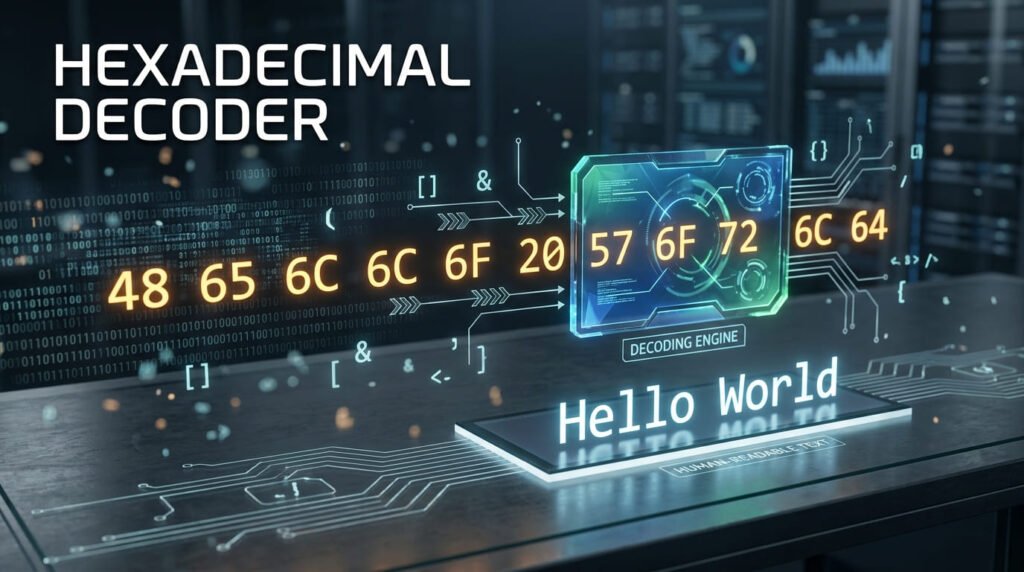
- Paste anything. Text, hex, binary, decimal or octal, the format is detected for you.
- Read every other format in the panes below. They all update as you type.
- Adjust the output if you need commas instead of spaces, uppercase hex, or values without padding.
Nothing is uploaded. Every conversion runs in your browser.
One tool instead of five pages
Most converters give you one direction per page: text to hex here, hex to text there, binary to ASCII somewhere else. Going from text to binary means two hops through two pages.
This is one any-to-any matrix. Everything routes through the underlying bytes, so every representation is available at once:
input  →  bytes  →  text
                 →  hexadecimal
                 →  binary
                 →  decimal
                 →  octal
The bytes are the real content. The five formats are just different ways of writing the same numbers down.
The four number bases
| Base | Digits | The letter H | Used for |
|---|---|---|---|
| Binary (base 2) | 0-1 | 01001000 |
What the machine actually stores |
| Octal (base 8) | 0-7 | 110 |
Unix file permissions, older systems |
| Decimal (base 10) | 0-9 | 72 |
Character code tables |
| Hexadecimal (base 16) | 0-9, A-F | 48 |
Almost everything in programming |
Hex won because it maps onto bytes so neatly. One hex digit is exactly four bits, so two digits are exactly one byte, every time, with no arithmetic. Binary is unambiguous but eight times longer to write. Decimal needs one, two or three digits depending on the value, which makes columns of it hard to scan.
How text becomes bytes
Every character has a number. Encoding is the rule that turns those numbers into bytes.
Take Hi:
- H is character number 72, i is 105.
- Both fit in one byte, so that’s two bytes:
72 105. - In hex:
48 69. In binary:01001000 01101001.
That’s the whole mechanism. Every conversion on this page is that, repeated.
What happens to accented characters and emoji
This is where “ASCII converters” quietly go wrong, so it’s worth being precise.
ASCII defines 128 characters, numbered 0 to 127, each one byte. That covers unaccented English and not much else. No é, no £, no 日, no emoji.
UTF-8 covers all of Unicode. It was designed so the first 128 characters are byte-for-byte identical to ASCII, which is why ASCII text is already valid UTF-8. Above 127, characters take two, three or four bytes.
| Character | Code point | UTF-8 bytes | Count |
|---|---|---|---|
| A | 65 | 41 |
1 byte |
| é | 233 | c3 a9 |
2 bytes |
| £ | 163 | c2 a3 |
2 bytes |
| € | 8364 | e2 82 ac |
3 bytes |
| 日 | 26085 | e6 97 a5 |
3 bytes |
| 🎉 | 127881 | f0 9f 8e 89 |
4 bytes |
So café is four characters but five bytes. The stats line under the output says both numbers, and points out when they differ. A tool that reports only one of them is hiding the thing most likely to trip you up.
The practical consequence: if you convert café to hex and someone decodes those bytes as Latin-1 instead of UTF-8, they get café. That mismatch, not the conversion, is behind the vast majority of mojibake you’ll ever see.
Reading the input tolerantly
Hex arrives in a dozen shapes and they should all work. These are all the same five bytes:
48 65 6c 6c 6f
48656c6c6f
0x48 0x65 0x6C 0x6C 0x6F
48,65,6c,6c,6f
48:65:6c:6c:6f
Spaces, commas, colons, semicolons, dashes, line breaks and 0x prefixes are all stripped before parsing. Case doesn’t matter.
Two things are still errors, because guessing would be worse than asking:
- An odd number of hex digits.
486could be04 86or48 60. There’s no way to know, and a leading zero is almost always what’s missing. - A bit count that isn’t a multiple of eight. Something has been dropped. The error tells you how far off you are.
How the format is detected
Auto-detection runs from the most constrained alphabet to the least, because a narrower alphabet is stronger evidence.
- Binary: only 0 and 1, and a whole number of bytes.
- Hex: only 0-9 and A-F, even length, and either an
0xprefix or at least one letter A-F. - Decimal: a list of numbers, all 255 or below.
- Text: anything else.
The ambiguous cases are real and worth knowing. 10101010 is valid binary, valid hex and a valid decimal number. It’s read as binary, because eight binary digits is exactly one byte and that’s the most specific reading. But 1010 is only four binary digits, not a whole byte, and 1010 as a decimal value is above 255, so it falls through to hex.
If detection guesses wrong, set the format explicitly. The dropdown always wins.
Worked example
Paste 48 65 6c 6c 6f 21 and leave the format on automatic.
| Format | Output |
|---|---|
| Text | Hello! |
| Hexadecimal | 48 65 6c 6c 6f 21 |
| Binary | 01001000 01100101 01101100 01101100 01101111 00100001 |
| Decimal | 72 101 108 108 111 33 |
| Octal | 110 145 154 154 157 041 |
Six bytes, six characters, all ASCII, so the byte count and character count match. Add an emoji and they stop matching, which is exactly the signal you want.
Converting by hand
Hex to decimal, for one byte: multiply the first digit by 16 and add the second. A-F are 10 to 15.
6C → 6 × 16 = 96, plus C which is 12 → 108. And 108 is lowercase l.
Binary to decimal: each position is worth double the one to its right, 128, 64, 32, 16, 8, 4, 2, 1. Add up the positions holding a 1.
01001000 → 64 + 8 = 72 → H.
Binary to hex is easier still, and it’s the reason hex exists: split into groups of four bits and convert each independently. 0100 1000 → 4 and 8 → 48. No arithmetic across the boundary, ever.
Where you’ll actually meet hex
Hex isn’t an academic exercise. It’s the default way of writing bytes across most of computing, and recognising it saves time.
| Looks like | Is | Reading it |
|---|---|---|
#1d4ed8 |
A CSS colour | Three bytes: red 29, green 78, blue 216 |
00:1B:44:11:3A:B7 |
A MAC address | Six bytes identifying a network interface |
0x7fff5fbff8c0 |
A memory address | A pointer, printed in hex because it’s shorter |
89 50 4E 47 |
A file signature | The first bytes of a PNG. 50 4E 47 is literally “PNG” |
%20 |
Percent-encoding | Hex 20 is 32, which is a space |
é |
An escape sequence | Hex E9 is 233, which is é |
The PNG one is worth trying. Paste 89 50 4E 47 0D 0A 1A 0A into the box and the text pane shows the readable part of a real PNG header. File signatures like this are how a program identifies a file type without trusting the extension.
Extended ASCII, and why it’s a mess
ASCII stops at 127, which leaves the top half of a byte, codes 128 to 255, unclaimed. Through the 1980s and 90s, everyone claimed it differently.
Windows-1252 put curly quotes and the euro sign there. ISO-8859-1 put accented Latin letters there. KOI8-R put Cyrillic there. Code page 437 put box-drawing characters there. Same byte, completely different character, depending on a setting nobody wrote down.
So “extended ASCII” is not one thing, and a byte value like 233 has no single correct answer outside a stated encoding. This is the mess UTF-8 was built to end, and it’s why this tool treats everything as UTF-8 and says so rather than offering a dozen code pages that would each produce a different answer to the same question.
If you have bytes above 127 that decode to nonsense here, they’re probably in one of those legacy encodings. The give-away is text that’s readable but sprinkled with Ã,  or †that’s UTF-8 bytes being read as Windows-1252.
ASCII reference: printable characters
Codes 32 to 127. These are the characters you can actually see.
| Dec | Hex | Binary | Octal | Character |
|---|---|---|---|---|
| 32 | 20 |
00100000 |
040 |
Space |
| 33 | 21 |
00100001 |
041 |
! |
| 34 | 22 |
00100010 |
042 |
“ |
| 35 | 23 |
00100011 |
043 |
# |
| 36 | 24 |
00100100 |
044 |
$ |
| 37 | 25 |
00100101 |
045 |
% |
| 38 | 26 |
00100110 |
046 |
& |
| 39 | 27 |
00100111 |
047 |
‘ |
| 40 | 28 |
00101000 |
050 |
( |
| 41 | 29 |
00101001 |
051 |
) |
| 42 | 2A |
00101010 |
052 |
* |
| 43 | 2B |
00101011 |
053 |
+ |
| 44 | 2C |
00101100 |
054 |
, |
| 45 | 2D |
00101101 |
055 |
– |
| 46 | 2E |
00101110 |
056 |
. |
| 47 | 2F |
00101111 |
057 |
/ |
| 48 | 30 |
00110000 |
060 |
0 |
| 49 | 31 |
00110001 |
061 |
1 |
| 50 | 32 |
00110010 |
062 |
2 |
| 51 | 33 |
00110011 |
063 |
3 |
| 52 | 34 |
00110100 |
064 |
4 |
| 53 | 35 |
00110101 |
065 |
5 |
| 54 | 36 |
00110110 |
066 |
6 |
| 55 | 37 |
00110111 |
067 |
7 |
| 56 | 38 |
00111000 |
070 |
8 |
| 57 | 39 |
00111001 |
071 |
9 |
| 58 | 3A |
00111010 |
072 |
: |
| 59 | 3B |
00111011 |
073 |
; |
| 60 | 3C |
00111100 |
074 |
< |
| 61 | 3D |
00111101 |
075 |
= |
| 62 | 3E |
00111110 |
076 |
> |
| 63 | 3F |
00111111 |
077 |
? |
| 64 | 40 |
01000000 |
100 |
@ |
| 65 | 41 |
01000001 |
101 |
A |
| 66 | 42 |
01000010 |
102 |
B |
| 67 | 43 |
01000011 |
103 |
C |
| 68 | 44 |
01000100 |
104 |
D |
| 69 | 45 |
01000101 |
105 |
E |
| 70 | 46 |
01000110 |
106 |
F |
| 71 | 47 |
01000111 |
107 |
G |
| 72 | 48 |
01001000 |
110 |
H |
| 73 | 49 |
01001001 |
111 |
I |
| 74 | 4A |
01001010 |
112 |
J |
| 75 | 4B |
01001011 |
113 |
K |
| 76 | 4C |
01001100 |
114 |
L |
| 77 | 4D |
01001101 |
115 |
M |
| 78 | 4E |
01001110 |
116 |
N |
| 79 | 4F |
01001111 |
117 |
O |
| 80 | 50 |
01010000 |
120 |
P |
| 81 | 51 |
01010001 |
121 |
Q |
| 82 | 52 |
01010010 |
122 |
R |
| 83 | 53 |
01010011 |
123 |
S |
| 84 | 54 |
01010100 |
124 |
T |
| 85 | 55 |
01010101 |
125 |
U |
| 86 | 56 |
01010110 |
126 |
V |
| 87 | 57 |
01010111 |
127 |
W |
| 88 | 58 |
01011000 |
130 |
X |
| 89 | 59 |
01011001 |
131 |
Y |
| 90 | 5A |
01011010 |
132 |
Z |
| 91 | 5B |
01011011 |
133 |
[ |
| 92 | 5C |
01011100 |
134 |
|
| 93 | 5D |
01011101 |
135 |
] |
| 94 | 5E |
01011110 |
136 |
^ |
| 95 | 5F |
01011111 |
137 |
_ |
| 96 | 60 |
01100000 |
140 |
` |
| 97 | 61 |
01100001 |
141 |
a |
| 98 | 62 |
01100010 |
142 |
b |
| 99 | 63 |
01100011 |
143 |
c |
| 100 | 64 |
01100100 |
144 |
d |
| 101 | 65 |
01100101 |
145 |
e |
| 102 | 66 |
01100110 |
146 |
f |
| 103 | 67 |
01100111 |
147 |
g |
| 104 | 68 |
01101000 |
150 |
h |
| 105 | 69 |
01101001 |
151 |
i |
| 106 | 6A |
01101010 |
152 |
j |
| 107 | 6B |
01101011 |
153 |
k |
| 108 | 6C |
01101100 |
154 |
l |
| 109 | 6D |
01101101 |
155 |
m |
| 110 | 6E |
01101110 |
156 |
n |
| 111 | 6F |
01101111 |
157 |
o |
| 112 | 70 |
01110000 |
160 |
p |
| 113 | 71 |
01110001 |
161 |
q |
| 114 | 72 |
01110010 |
162 |
r |
| 115 | 73 |
01110011 |
163 |
s |
| 116 | 74 |
01110100 |
164 |
t |
| 117 | 75 |
01110101 |
165 |
u |
| 118 | 76 |
01110110 |
166 |
v |
| 119 | 77 |
01110111 |
167 |
w |
| 120 | 78 |
01111000 |
170 |
x |
| 121 | 79 |
01111001 |
171 |
y |
| 122 | 7A |
01111010 |
172 |
z |
| 123 | 7B |
01111011 |
173 |
{ |
| 124 | 7C |
01111100 |
174 |
| |
| 125 | 7D |
01111101 |
175 |
} |
| 126 | 7E |
01111110 |
176 |
~ |
| 127 | 7F |
01111111 |
177 |
DEL |
ASCII reference: control characters
Codes 0 to 31 are instructions rather than characters. Most are obsolete relics of teletype hardware, but a handful still matter every day.
| Dec | Hex | Name |
|---|---|---|
| 0 | 00 |
NUL |
| 1 | 01 |
SOH |
| 2 | 02 |
STX |
| 3 | 03 |
ETX |
| 4 | 04 |
EOT |
| 5 | 05 |
ENQ |
| 6 | 06 |
ACK |
| 7 | 07 |
BEL |
| 8 | 08 |
BS |
| 9 | 09 |
TAB |
| 10 | 0A |
LF |
| 11 | 0B |
VT |
| 12 | 0C |
FF |
| 13 | 0D |
CR |
| 14 | 0E |
SO |
| 15 | 0F |
SI |
| 16 | 10 |
DLE |
| 17 | 11 |
DC1 |
| 18 | 12 |
DC2 |
| 19 | 13 |
DC3 |
| 20 | 14 |
DC4 |
| 21 | 15 |
NAK |
| 22 | 16 |
SYN |
| 23 | 17 |
ETB |
| 24 | 18 |
CAN |
| 25 | 19 |
EM |
| 26 | 1A |
SUB |
| 27 | 1B |
ESC |
| 28 | 1C |
FS |
| 29 | 1D |
GS |
| 30 | 1E |
RS |
| 31 | 1F |
US |
The ones worth knowing: 9 (TAB), 10 (LF) which ends a line on Linux and macOS, and 13 (CR) which pairs with LF to end a line on Windows. That CR/LF difference is why a file moved between systems sometimes shows every line running together, or shows a stray character at each line end. If you’re diffing two files that look identical, this is usually why.
Related tools
Base64 is another way of writing bytes as text, and the Base64 encoder and decoder handles that specifically. If your input turned out to be a cipher rather than an encoding, the cipher decoder and identifier will work out which one and decode it. For bytes inside a web address, the URL encoder explains percent-encoding, which is hex with a % in front of each byte. The hash generator turns any of these bytes into a checksum, and the Discord timestamp generator covers the other common “what does this number mean” question.
Frequently asked questions
How do I convert hex to text?
Paste the hex into the box. Spaces, commas, colons and 0x prefixes are all accepted, and the format is detected automatically, so 48 65 6c 6c 6f and 0x48,0x65,0x6c,0x6c,0x6f and 48656c6c6f all give you Hello. The text appears in the first output pane along with every other representation.
Why does my hex need an even number of digits?
Because each byte is exactly two hex digits. A value like 486 is missing one, and there is no way to tell whether you meant 04 86 or 48 60. The tool says so rather than guessing, and a leading zero is almost always what is missing.
What happens to accented characters and emoji?
They are encoded as UTF-8, which means more than one byte each. The é in café is two bytes, and an emoji is four. Most tools calling themselves ASCII converters mangle these silently. This one converts them correctly and tells you in the byte count when your input is not plain ASCII.
What is the difference between ASCII and UTF-8?
ASCII defines 128 characters, numbered 0 to 127, each one byte. UTF-8 covers every character in Unicode, and it was designed so that those first 128 are byte-for-byte identical to ASCII. So all ASCII is valid UTF-8, but the moment you use a character above 127 you have more bytes than characters.
How do I convert binary to text?
Paste the binary. It needs to be a multiple of eight digits, because each character is eight bits, and spacing between the bytes is optional. If you have a count that is not a multiple of eight, something has been dropped, and the error will tell you how far off you are.
Why is my decimal value rejected above 255?
A single byte holds 0 to 255, so 256 and above cannot be one. Numbers above 255 are usually Unicode code points rather than bytes: 8364 is the euro sign, for instance, which is three bytes in UTF-8, not one value.
Is my data uploaded anywhere?
No. Every conversion runs in your browser in JavaScript. Nothing is sent to a server, nothing is stored, and the page keeps working if you disconnect from the internet after it loads.
Last updated: August 17, 2026