
DOTS Calculator
This DOTS calculator scores your powerlifting total against your bodyweight with the official DOTS formula, shows your IPF GL points alongside, and tells you the total you need for any goal score or weight class.
Your score
DOTS
0
IPF GL points
0
Total you need for each DOTS score
| DOTS | Total needed | Versus now |
|---|
The same DOTS in other IPF weight classes
| Weighing in at | Total for the same score |
|---|
Show the working
Runs in your browser. Nothing uploaded.
This DOTS calculator turns your powerlifting total and bodyweight into a DOTS score, the number meets use to compare lifters of different sizes. Enter your bodyweight and your total, or each of your three lifts, and you get your score to two decimal places. You also get your IPF GL points, the total you need for any goal score, and what the same score would take in every IPF weight class.
About the DOTS calculator
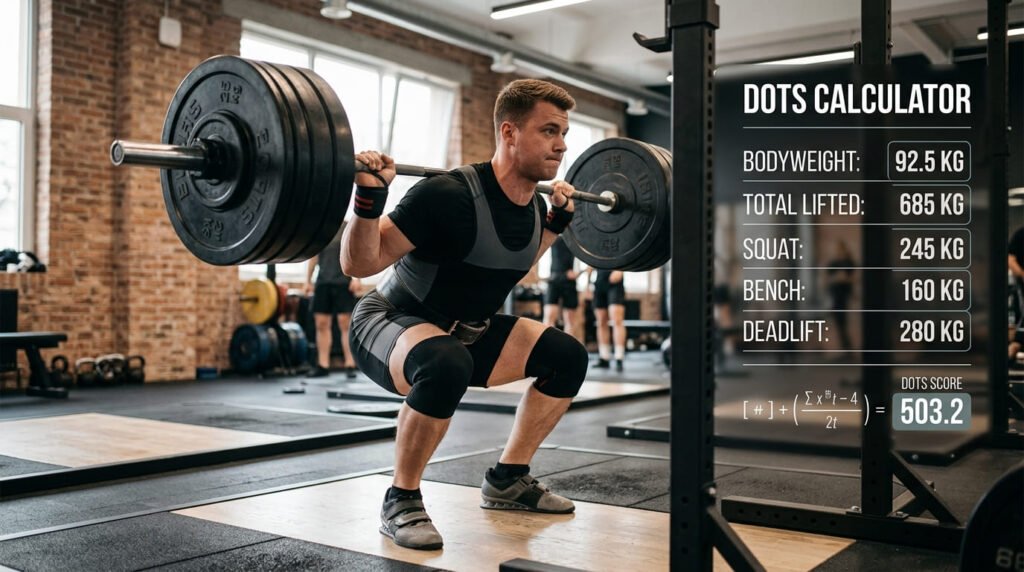
A 600 kg total means something very different for a 66 kg lifter than for a 120 kg one. DOTS fixes that by scaling the total against a curve of bodyweight, so the lighter lifter’s performance scores higher. That lets a meet crown a best lifter across all weight classes, and lets you compare yourself with anyone.
- The official formula. The DOTS calculator uses the coefficients from OpenPowerlifting’s reference code, including the bodyweight limits most calculators leave out.
- IPF GL points alongside. The International Powerlifting Federation scores with its own GL formula. You see both, for raw or equipped, full power or bench only.
- Goals, not just a number. A table shows the total you need for 300, 350, 400, 450 and 500 DOTS at your bodyweight, plus your own goal.
- Weight class planning. A second table shows the total that would earn the same score in every IPF weight class, so you can judge a cut or a bulk.
It all runs in your browser. Nothing you enter is sent anywhere.
How to use the DOTS calculator
- Choose male or female and your units. Kilograms or pounds both work; the calculator converts pounds before scoring.
- Enter your bodyweight. Use your official weigh-in weight for a meet result, or your current weight for training numbers.
- Enter your lifts. Type your total, or pick “Each lift” and enter your best squat, bench press and deadlift. For a bench-only meet, set the event to Bench press only.
- Pick the options. Choose raw or equipped for the IPF GL comparison, and add a goal score if you’re chasing one.
- Read the results. Your DOTS score and IPF GL points appear at the top, with the two tables below.
The DOTS formula
DOTS divides 500 by a fourth-order polynomial of your bodyweight, then multiplies by your total:
DOTS = total x 500 / (A x bw4 + B x bw3 + C x bw2 + D x bw + E)
Bodyweight (bw) and total are in kilograms. The coefficients differ for men and women:
| Coefficient | Men | Women |
|---|---|---|
| A | -0.0000010930 | -0.0000010706 |
| B | 0.0007391293 | 0.0005158568 |
| C | -0.1918759221 | -0.1126655495 |
| D | 24.0900756 | 13.6175032 |
| E | -307.75076 | -57.96288 |
| Bodyweight range | 40 to 210 kg | 40 to 150 kg |
The bottom row matters. The polynomial is only meant for bodyweights inside that range. OpenPowerlifting, which publishes DOTS for meet results from around the world, treats anyone outside it as if they weighed the nearest limit. This DOTS calculator does the same and tells you when it happens. Calculators that skip the limit give different answers for very light or very heavy lifters: for a 230 kg man with a 900 kg total, one popular calculator gives 442.45, while the clamped formula gives 446.06.
How bodyweight changes the score
The number the formula multiplies your total by is the DOTS coefficient. It falls as bodyweight rises, which is how lighter lifters get credit:
| Bodyweight | Men | Women |
|---|---|---|
| 60 kg | 0.8440 | 1.1085 |
| 70 kg | 0.7512 | 1.0113 |
| 80 kg | 0.6895 | 0.9422 |
| 90 kg | 0.6466 | 0.8915 |
| 100 kg | 0.6155 | 0.8533 |
| 110 kg | 0.5923 | 0.8243 |
| 120 kg | 0.5743 | 0.8024 |
Multiply your total by the coefficient for your bodyweight and you have your score. Notice the women’s coefficients are higher at every bodyweight. That’s deliberate: DOTS is designed so men and women can be ranked on one list, which is why the German federation that created it uses it for mixed team competitions.
DOTS calculator example: an 83 kg lifter
A man weighs in at 83 kg and totals 600 kg (220 squat, 140 bench, 240 deadlift).
- The DOTS coefficient at 83 kg is 0.67509.
- 600 x 0.67509 = 405.05 DOTS.
- His IPF GL points, raw, full power: 83.06.
The goal table then shows the totals he needs at the same bodyweight:
| DOTS | Total needed at 83 kg |
|---|---|
| 300 | 444.4 kg |
| 350 | 518.5 kg |
| 400 | 592.5 kg |
| 450 | 666.6 kg |
| 500 | 740.6 kg |
At this bodyweight, every 10 DOTS is about 15 kg of total. Going from 405 to 450 means adding about 67 kg, spread across three lifts.
DOTS calculator example: a 63 kg lifter
A woman weighs in at 63 kg and totals 400 kg. The DOTS calculator gives her 430.21 DOTS and 87.51 IPF GL points, raw. That’s a higher DOTS than the 83 kg man above, even though her total is 200 kg lower, because the women’s curve credits each kilogram more at every bodyweight.
Her weight class table reads:
| Weigh in at | Total for 430.21 DOTS |
|---|---|
| 57 kg | 375.5 kg |
| 63 kg | 400.0 kg |
| 69 kg | 422.0 kg |
| 76 kg | 444.8 kg |
Moving up a class to 69 kg, she’d need 22 kg more total to keep the same score. That’s the question to ask before any bulk: will six more kilograms of bodyweight bring at least that much strength?
Bench only. If the same lifter enters a bench-only meet with a 150 kg bench press, set the event to Bench press only. She scores 161.33 DOTS and 125.17 IPF GL points. The DOTS number looks low next to her full-power score because it’s built for totals; compare bench scores only with other bench scores.
Using the calculator in pounds
Many American lifters think in pounds, but meets load the bar in kilograms and every scoring formula works in kilograms. The DOTS calculator converts for you, using the exact definition of 1 lb = 0.45359237 kg. A man weighing 198 lb with a 1,400 lb total becomes 89.81 kg and 635.03 kg, and scores 411.05 DOTS.
Switch between kg and lb at any time. The numbers you’ve already typed convert automatically, so a 83 kg bodyweight becomes 183 lb rather than being read as 83 lb.
Cutting or bulking: the weight class table
The second table answers a question lifters argue about constantly: is it worth changing weight class? It shows the total that gives your current score at the top of each IPF class. For the same 83 kg lifter at 405.05 DOTS:
| Weigh in at | Total for 405.05 DOTS |
|---|---|
| 74 kg | 559.7 kg |
| 83 kg | 600.0 kg |
| 93 kg | 636.6 kg |
| 105 kg | 671.6 kg |
Cutting to 74 kg, he’d only need 559.7 kg to score the same. If the cut would cost him more than about 40 kg of total, it isn’t worth it for his DOTS. Moving up to 93 kg, the extra 10 kg of bodyweight has to bring at least 37 kg more total just to stand still. Put another way, the same 600 kg total scores 434.19 at 74 kg and 381.75 at 93 kg.
DOTS and IPF GL points
The IPF doesn’t use DOTS. Its own GL (GoodLift) formula uses an exponential curve, with separate constants for men and women, raw and equipped, and full power and bench only. The DOTS calculator reproduces it exactly: it matches the IPF’s published results for Dmitry Inzarkin’s 2019 world-winning equipped total (112.85) and Susanna Törrönen’s 2019 classic bench (96.78).
| DOTS | IPF GL | |
|---|---|---|
| Used by | BVDK (Germany), OpenPowerlifting results | The IPF and its affiliates |
| Formulas | One per sex | Eight, by sex, equipment and event |
| Raw vs equipped | Same formula | Separate formulas |
| Scale | Several hundred | Around 100 for top performances |
The two scales don’t convert. A lifter can rank higher than a rival on one and lower on the other, especially between raw and equipped lifting, where DOTS makes no distinction.
DOTS vs Wilks
For decades powerlifting’s best-lifter awards used the Wilks formula. The IPF moved away from Wilks and brought in its own points, which couldn’t compare men and women on one list. The German federation BVDK needed exactly that for its team events, so it built DOTS. OpenPowerlifting’s source code credits the formula to Tim Konertz, and notes that the name was picked before anyone decided what the letters stood for; “Dynamic Objective Team Scoring” came later.
If you have an old Wilks score, don’t try to convert it. The curves have different shapes, so the gap between them changes with bodyweight. Put your lifts into the DOTS calculator instead.
Common mistakes
- Mixing units. Typing a total in pounds while the calculator is set to kilograms more than doubles your score. Check the unit next to each label.
- Adding up personal records from different days. A meet total is your best three lifts on one day. Adding a squat PR from March to a deadlift PR from June gives a number you’ve never actually totalled.
- Comparing DOTS with IPF GL points. They’re on different scales. A 90 on IPF GL isn’t worse than a 400 on DOTS; they’re different measures of the same performance.
- Comparing raw with equipped. DOTS doesn’t separate them, so an equipped total will always look better. IPF GL does separate them, which is one reason the IPF uses it.
- Using your morning weight on meet day. For a meet score, use the weight on your weigh-in slip.
Can you score a single lift?
DOTS was designed for totals, but the same formula is often applied to single-lift meets, and OpenPowerlifting shows DOTS for bench-only results too. The DOTS calculator lets you score a bench press on its own. The IPF has separate GL constants for bench-only competition, so the IPF GL figure is the more meaningful of the two for a bench meet. There’s no bench-only or deadlift-only version of DOTS, so a single squat or deadlift score only makes sense next to other scores for the same lift.
How to read your score
- There is no official scale of “good” scores. DOTS is a ranking number. Compare it with lifters in your federation, sex and division, which OpenPowerlifting’s rankings let you do.
- Differences matter more than the number. Beating a rival by 5 DOTS means the same thing whatever the weight classes involved.
- Raw and equipped don’t mix. DOTS scores both with the same formula, so an equipped total will score higher. Compare like with like.
- Training numbers aren’t meet numbers. Gym maxes, belts, and depth standards vary. Use meet results for a score you can compare.
Tips for using a DOTS calculator
- Use your weigh-in weight. Meets score you at the weight you weighed in, not your walking-around weight after rehydrating.
- Enter your best successful lifts from one meet. A total is the sum of your best squat, bench press and deadlift attempts on the day.
- Set a goal score. Type it in, and the goal table shows exactly how much total you need to find.
- Plan the next cycle. Split the extra kilograms across the lifts with the most room to improve.
More tools for lifters
Counting down to your next meet? The date duration calculator tells you how many weeks you have to train. Masters divisions go by age, and the age calculator works out yours on any date. For military fitness tests there’s our PFT calculator, and if you ride as well as lift, the bike tire pressure calculator sets your tires from your weight.
Sources
- OpenPowerlifting, coefficients crate (dots.rs and goodlift.rs): the DOTS and IPF GL formulas, constants and bodyweight limits.
- International Powerlifting Federation published results: the two IPF GL test cases.
- dotscalculator.com: independent cross-check of DOTS values inside the bodyweight range, 28 September 2026.
Frequently asked questions
How is a DOTS score calculated?
Your total in kilograms is multiplied by 500 and divided by a fourth-order polynomial of your bodyweight, with separate coefficients for men and women. The polynomial rises with bodyweight, so a heavier lifter needs a bigger total for the same score. An 83 kg man with a 600 kg total scores 405.05.
What is a good DOTS score?
There is no official scale. DOTS is a comparison number, so the useful question is how you rank against other lifters in your federation and division. OpenPowerlifting publishes DOTS for meet results, which lets you see where a score would place. As a rough guide, the gap between scores matters more than the number itself: 10 DOTS is about 15 kg of total for an 83 kg man.
Is DOTS better than Wilks?
DOTS was built as a replacement for Wilks after the IPF stopped using Wilks. It is used by the German federation BVDK, which created it, and appears on OpenPowerlifting meet results. The IPF itself now uses its own GL points, which this calculator also shows.
What is the difference between DOTS and IPF GL points?
They answer the same question on different scales. DOTS uses one formula per sex for every total. IPF GL points use separate formulas for raw and equipped lifting and for full power and bench only, and sit on a smaller scale: Dmitry Inzarkin's winning equipped total at the 2019 IPF Worlds scored 112.85. The two will not match, so compare each only with its own kind.
Why does my bodyweight say it was clamped?
The DOTS formula is only defined for men from 40 to 210 kg and women from 40 to 150 kg. OpenPowerlifting scores anyone outside that range as if they weighed the nearest limit, and so does this calculator. Many online calculators skip this step, so their numbers drift at the extremes.
Does DOTS work in pounds?
Yes. The formula works in kilograms, so the calculator converts your pounds first, using 1 lb = 0.45359237 kg exactly. The score is the same either way.
Last updated: September 28, 2026