
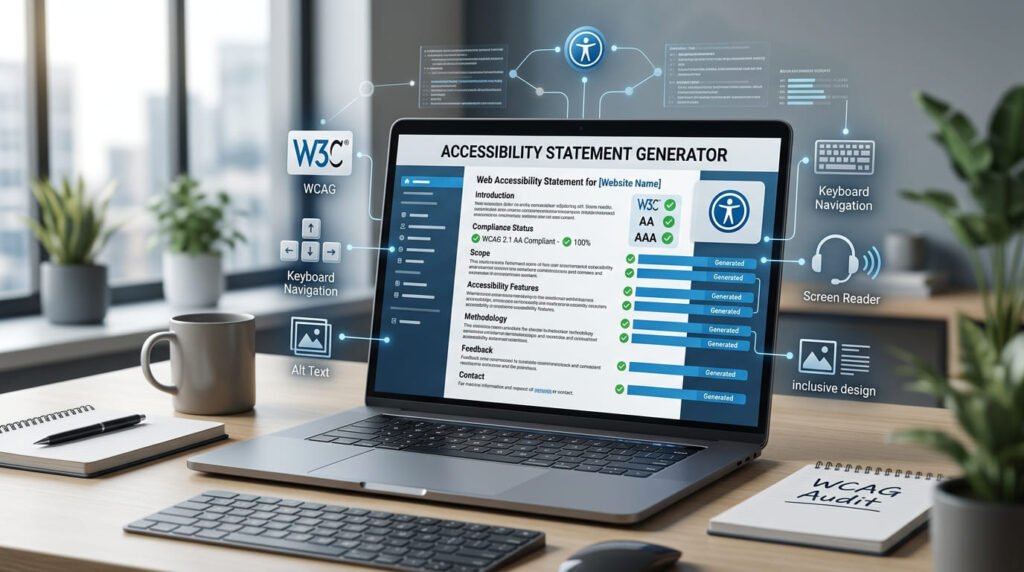
Accessibility Statement Generator
Answer a few questions to generate an accessibility statement referencing WCAG, EN 301 549 or Section 508. The standard you pick changes the sections you get, and if your service is offered in more than one language the tool tells you about an obligation most generators leave out.
You need more than one statement
Your statement
A starting template, not legal advice. This produces a draft from what you tell it. It has not been reviewed by a lawyer, it cannot check whether any of your claims are true, and it never certifies anything. Automated accessibility testing of every kind detects only around 30 to 40 per cent of real barriers, so the conformance claim you publish should rest on manual testing: keyboard-only operation and a screen reader at minimum. Have the result reviewed by someone qualified before you put it on a live site.
Runs in your browser. Nothing uploaded.
How to use it
- Fill in who you are and what the site is. Five fields are required, the rest sharpen the result.
- Pick the standard you are measuring against. This changes which sections you get, not just a label in one sentence.
- List what you already know is broken. This is the part that makes a statement credible rather than decorative.
- Copy or download as plain text or HTML.
Nothing you type is transmitted or stored, not to a server, not to local storage, not to the URL. The form holds your organisation name and a contact address, so that matters.
What an accessibility statement is
A published page that says four things: how accessible your service is, which standard you measured it against, what does not yet meet that standard, and how someone tells you when they hit a barrier.
It is a commitment, not a certificate. Nobody audits it before you publish it and nobody stamps it. What gives it weight is precisely the awkward part, naming your own failures with dates against them.
A statement claiming perfection is weaker than one admitting three specific problems, because the first is disproved by a single untagged PDF and the second reads like an organisation that has actually looked.
What it must contain
| Section | Why it is there | Required by |
|---|---|---|
| Scope | Which site or app this covers. A statement that does not say what it applies to is unusable. | All |
| Conformance status | Full, partial or non-conformant, against a named standard and level. | All |
| Known limitations | What fails, why, and when you expect to fix it. | All |
| Feedback route | How a person reports a barrier, and how fast you will reply. | All |
| Assessment approach | Self-assessed or externally evaluated, and when. | All |
| Compatibility | Which browsers and assistive technologies it is built to work with. | EN 301 549, Section 508 |
| Enforcement route | Where to escalate if you do not respond adequately. | EU rules |
| Date prepared | A statement with no date is a statement nobody has revisited. | All |
The feedback route is the one people get wrong most often. A statement pointing at a generic contact form that nobody monitors defeats the entire purpose, the document exists so that a person who cannot use your site has a way to tell you.
Who legally needs one
| Where | Who is covered | Under |
|---|---|---|
| EU | Public sector bodies | Web Accessibility Directive (2016/2102) |
| EU | Many private companies selling to consumers: e-commerce, banking, transport, e-books, ticketing | European Accessibility Act (2019/882) |
| UK | Public sector bodies | The 2018 accessibility regulations |
| US | Federal agencies and their suppliers | Section 508 |
| US | Places of public accommodation, in effect | ADA case law, no statement is mandated, but publishing one is common practice |
The European Accessibility Act is the one that changed the picture, because it reaches private companies rather than only the public sector. If you sell to EU consumers online, you are more likely to be in scope than not.
The language requirement nobody mentions
Here is the obligation that catches people out, and the reason this tool asks which languages you serve.
The EAA expects an accessibility statement in every language the service is offered in. Not one statement in English with a language switcher pointing back at it. A version per language.
The logic is sound once you see it. The statement exists so that a disabled user can report a barrier. If your Spanish-speaking customer cannot read the statement, it does not serve its purpose for them, and someone who needs an accessibility statement is exactly the person least well served by having to machine-translate it first.
Two practical consequences:
- Machine translation is not adequate. This is a document with legal weight that makes specific claims. A mistranslated conformance claim is a false statement in that language.
- Every version has to be kept in step. When you fix a limitation, all of them get updated, or you have published contradictory claims about the same site.
This tool generates one statement. If you serve more than one language it says so plainly, because no other generator we found does.
Choosing a standard
| Standard | Choose it when | Note |
|---|---|---|
| WCAG 2.2 | You want the current W3C recommendation | Adds nine criteria over 2.1, mostly focus appearance, dragging alternatives and authentication |
| WCAG 2.1 | You are matching legislation that names it directly | Still the version most laws cite |
| EN 301 549 | You are in scope of European rules | Incorporates WCAG level AA and adds software, hardware and documentation requirements |
| Section 508 | You sell to US federal agencies | Its Refresh incorporates WCAG 2.0 level AA by reference |
On level: AA is the answer nearly every time. Every piece of accessibility legislation lands there. Level A is not enough to satisfy an obligation, and W3C states outright that AAA cannot be satisfied for all content, so a blanket AAA claim is a claim you probably cannot defend. The tool warns you if you make one.
Being honest about limitations
The instinct is to list nothing, because listing problems feels like admitting fault. It is the wrong instinct.
An empty limitations section is a claim of full conformance whether you intended it or not. Full conformance is a strong claim about roughly fifty success criteria across every page, every PDF, every embed and every video you host. One untagged invoice disproves it.
A good entry has three parts:
- What fails. Specific. “Some PDF invoices generated before 2024 are not tagged”, not “some documents may have issues”.
- Why. Often a third party you do not control, which is a legitimate reason and worth saying.
- When you expect to fix it. A date makes it a plan. No date makes it an excuse.
Common honest entries: untagged legacy PDFs, a third-party booking widget you cannot modify, video published before you started captioning, a complex data visualisation with no text alternative yet.
Worked example
A small retailer, self-assessed, mostly there:
| Field | Value |
|---|---|
| Organisation | Acme Ltd |
| Site | Acme Shop: https://shop.example.com |
| Standard | EN 301 549 |
| Level | AA |
| Status | Partially conformant |
| Limitation | Some PDF invoices are not tagged (generated by a third-party billing system); expected fix March 2027 |
| Languages | English, French, German |
That produces eight sections, including the compatibility section EN 301 549 expects and an enforcement-route section European rules require. It also raises the language warning: three languages means three statements, not one.
Switch the standard to WCAG 2.2 and the compatibility and enforcement sections disappear, because plain WCAG does not ask for them. That is what “the standard changes the output” means here.
Where to publish it, and keeping it alive
Two practical points that decide whether the document does anything.
Link it from every page. The footer, beside the privacy policy. A statement reachable only by search is a statement nobody finds at the moment they need it, which is halfway through failing to complete a task. The conventional URL is /accessibility or /accessibility-statement.
Give it an owner and a review date. The most common failure mode is not a bad statement, it is a good one that went stale. A statement dated three years ago actively tells a reader that nobody has looked since, worse than publishing nothing, because it documents the neglect.
Review it whenever the site changes materially and at least annually. When you fix a declared limitation, remove it and update the date. That drumbeat is what separates a live commitment from a compliance artefact.
The mistakes that show up most
- A dead feedback route. An address nobody monitors, or a contact form that is itself inaccessible. Test it by sending something to it.
- Claiming full conformance by omission. Listing no limitations is a claim, and it is the easiest one to disprove.
- Copying another organisation’s statement. It will name their standard, their limitations and their contact details, and it will be wrong about your site in every particular.
- Naming a standard nobody assessed against. Writing “WCAG 2.2 AA” because it sounds current, when the actual testing was a scanner run against nothing in particular.
- No date. Undated claims about a changing website mean nothing.
What this tool cannot do
It cannot check a single claim you make in it. It does not look at your site. It takes what you tell it and formats it properly, and if you tell it you are fully conformant it will write that down whether or not it is true.
It is also not legal advice, and it has not been reviewed by a lawyer. Treat the output as a well-structured first draft that saves you the research on what sections are needed, then have someone qualified check it before it goes live.
And the underlying assessment matters more than the document. Automated accessibility testing of every kind: scanners, extensions, the expensive enterprise platforms, detects only about 30 to 40 per cent of real barriers. Keyboard-only navigation and half an hour with a screen reader will find things no tool reports. A statement resting on a scanner result alone is a statement resting on a third of the picture.
Related tools
Colour contrast is the criterion most likely to produce a limitation you need to declare, the colour contrast checker tests a pairing or a whole palette against WCAG 2.2 and tells you what to change. For the content itself, the invisible character detector finds zero-width characters that corrupt screen-reader output, the word counter reports readability alongside the count, and the reading time calculator helps you judge whether a page is a reasonable length for someone using assistive technology to work through.
Frequently asked questions
What is an accessibility statement?
A published page saying how accessible your service is, which standard you measured it against, what does not yet meet that standard, and how someone tells you when they hit a barrier. It is a public commitment rather than a certificate, and the parts that make it credible are the limitations you admit to and the contact route that actually works.
Who legally needs one?
In the EU, the Web Accessibility Directive requires them for public sector bodies, and the European Accessibility Act extends obligations to many private companies selling to consumers. In the UK, public sector bodies are covered by the 2018 regulations. US federal agencies and their suppliers work under Section 508. Plenty of organisations outside those brackets publish one anyway, because it is the cheapest way to show the work has been done.
Do I need a statement in every language?
Under the European Accessibility Act, yes: a statement is expected in each language the service is offered in. This is the requirement most sites miss, and it is why this tool asks which languages you serve and warns you when there is more than one. Machine-translating a legal document is not usually adequate; the translation should be done properly.
Which standard should I choose?
WCAG 2.2 if you want the current W3C recommendation. WCAG 2.1 if you are matching legislation that names it directly, which most still does. EN 301 549 if you are in scope of European rules: it incorporates WCAG level AA and adds requirements for software, hardware and documentation. Section 508 if you sell to US federal agencies. The choice changes which sections the generated statement contains, not just a label.
Should I claim full conformance?
Almost certainly not. Partial conformance with a named list of limitations is both more honest and more defensible than a blanket claim that one broken PDF disproves. This tool warns you if you select full conformance while also listing limitations, because those two things cannot both be true and a regulator will read that closely.
What should I put under known limitations?
The things you already know fail: untagged PDFs, a third-party embed you do not control, a legacy chart without a text alternative, video without captions. Each entry is stronger with a reason and a date you expect to fix it by. An empty limitations section is a claim of full conformance whether you meant it that way or not.
Is the generated statement legally sufficient?
It is a starting template, not legal advice. It cannot verify a single claim you make in it, and it has not been reviewed by a lawyer. Treat the output as a well-structured first draft that saves you the research, then have someone qualified check it before it goes on a live site.
Does a statement make my site accessible?
No. It describes the state of your site; it does not change it. And the assessment behind it should not come from a scanner alone: automated testing of every kind catches only about 30 to 40 per cent of real accessibility barriers. Keyboard-only testing and a screen reader session will find things no tool reports.
How often should it be updated?
Whenever the site changes materially, and at least once a year. A statement dated three years ago is worse than none: it tells a reader that nobody has looked since, which is exactly the impression you were trying to avoid.
Is anything I type sent anywhere?
No. The form runs entirely in your browser and nothing is transmitted or saved, not to a server, not to local storage, not to the URL. That matters here because the form contains your organisation name and a contact address.
Last updated: August 23, 2026